VovSoft Batch Audio Converter v1.4 WiN
At a Glance
| Platform | WiN |
|---|---|
| Size | 18 MB |
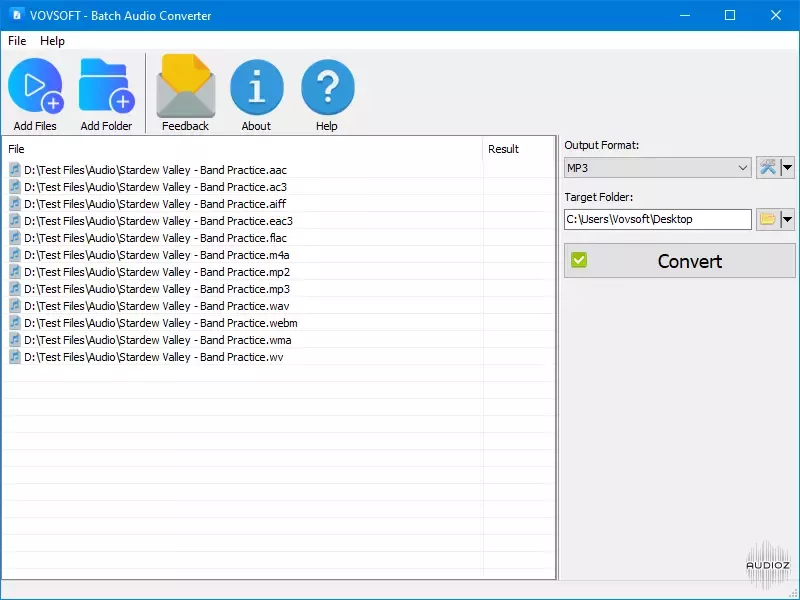
Vovsoft Batch Audio Converter is your go-to solution for converting audio files quickly and efficiently. This powerful Windows software allows you to handle bulk audio conversions with ease. Simply drag and drop your files, select your desired output format, and let the software do the rest. Whether you’re managing a music library, preparing audio files for a project, or ensuring compatibility across platforms, this program delivers high-quality results with minimal effort. Bulk Conversion: Convert multiple files at once to save time. Drag-and-Drop Simplicity: Add files directly from Windows Explorer. Wide Format Support: Handles all popular audio file types, ensuring compatibility with your devices and applications. Preserve Metadata: Retain audio file details, such as ID3 tags, during conversion when supported by the file format. Customizable Output Settings: Adjust bitrate, sampling rate, and audio channels (mono, stereo, 5.1, 7.1) for tailored results. Flexible Destination Management: Set your preferred output directory for better organization. Supported Formats Input and output: MP3 (MPEG Audio Layer 3), WMA (Windows Media Audio), WAV (Waveform Audio), M4A (MPEG-4 Audio), AIFF (Audio Interchange File Format), AAC (Advanced Audio Coding), OGG (Ogg Vorbis), OPUS (Opus Codec), AC3 (Dolby Digital), EAC3 (Enhanced AC-3), MP2 (MPEG Audio Layer 2), WV (WavPack), WEBM (WebM Audio), FLAC (Free Lossless Audio Codec) Volume Normalization The software includes an option for loudness normalization, ensuring that all audio files maintain a consistent volume level. It supports the industry-standard EBU R128 loudness normalization method, which is widely recognized and adopted by professionals. Defined by the European Broadcasting Union, this standard ensures precise and uniform audio levels across different tracks, enhancing the listening experience and eliminating abrupt volume changes. Whether you’re processing music, podcasts, or other audio files, this feature guarantees high-quality, balanced output every time. Whats New: v1.4 – March 13, 2025 Supported OGG file drag and drop Added “Show Error Details” setting Added “Reset to Defaults” home page https://href.li/?https://vovsoft.com/version-history/batch-audio-converter/ download from free file storage –> click to show download links mirror http://peeplink.in/0e1d5db9a869 download from any file hoster with just one LinkSnappy account download from more than 100 file hosters at once with LinkSnappy. audioz mirror http://http://peeplink.in/20109e253b7b HATSHEPSUT − +1 + 1176 / 3